AI-Generated Fashion in AI Art: Everything You Need to Know
Learn how AI-generated fashion is transforming AI art, helping brands and creators produce clothing visuals, editorial concepts, and campaign mockups faster.
Introduction
Fashion moves fast, but visual production often moves slower. Brands, creators, and marketers are expected to publish fresh, polished imagery across websites, social media, email campaigns, and product storytelling channels, often on tight timelines. That demand makes visual creation a frequent bottleneck.
Traditional fashion visuals can be powerful, but they usually require planning, budget, coordination, location decisions, styling, post-production, and multiple rounds of revision. For many teams, that process is still essential, but it is not always the fastest way to explore ideas or test creative directions. That is why interest in AI-generated fashion continues to grow.
In the context of AI art, AI-generated fashion gives us a way to create clothing-focused visuals, editorial concepts, styled portraits, and campaign mockups from prompts and references. It helps us move from vague inspiration to visible concepts much faster, while still leaving room for creative judgment and refinement. Used well, it supports direction, experimentation, and content production without replacing the strategic thinking behind strong fashion imagery.
By the end of this article, you will understand what AI-generated fashion means, why it matters, where it works best, and how to create better results through practical GoAIGen workflows. We will also cover limitations, prompt tips, and repeatable ways to build visuals that feel intentional rather than random.
![[PERSON NAME].](https://cdn.goaigen.ai/test/tweets/2008976966255337666/0.jpg) *Example: [[PERSON NAME].](/free-ai-image-generator/t-2008976966255337666)*
What Is AI-Generated Fashion in AI Art?
Defining AI-generated fashion
AI-generated fashion refers to fashion-centered visuals created with AI image generation tools. These visuals can include outfits, model portraits, editorial scenes, lookbook-style compositions, trend explorations, and styled campaign concepts. The focus is on generating images that communicate a fashion idea clearly and attractively.
This overlaps with several creative activities. A single image might be part fashion inspiration, part campaign concept, part styling experiment, and part visual storytelling. In practice, AI-generated fashion often sits between design exploration and content creation.
It is important to separate image generation from garment manufacturing. An AI image may present a compelling silhouette, color story, or editorial mood, but that does not mean it is production-ready as a real-world garment. AI art is strongest as a visual ideation and communication tool, not a direct substitute for technical apparel development.
How AI art tools interpret fashion prompts
AI art tools respond to the visual clues we give them. In fashion prompts, those clues often include garment type, silhouette, material, color palette, accessories, pose, lighting, setting, mood, and camera style. The clearer the prompt, the more likely the output will reflect the intended direction.
Reference images and style examples can help narrow the result further. If we want a clean luxury studio portrait, a vintage editorial mood, or a modern streetwear concept, the model usually needs that context to produce a stronger image. Prompting works best when it combines specific visual details with a clear creative objective.
Iteration also matters. Strong fashion outputs rarely appear as a perfect one-click result. Quality depends on prompt precision, model behavior, selection, and refinement, which is why good AI-generated fashion is usually curated rather than simply produced.
Why the topic is growing
More creators now need visuals at a pace that traditional production cannot always support. Content teams need article headers, campaign mockups, and social assets. Independent designers want fast mood exploration. Ecommerce sellers and digital publishers want fashion-oriented imagery that supports ongoing storytelling.
Another reason for growth is flexibility. AI-generated fashion lets us test multiple visual directions before investing further in one route. That is useful during brainstorming, pitch development, seasonal planning, and early campaign concepting.
The most practical way to view AI-generated fashion is as a workflow tool. It does not replace every shoot, every design process, or every creative role, but it can reduce friction at the stages where speed, variation, and exploration matter most.
![Create a stylized illustration of [character_name] from ... *Example: [Create a stylized illustration of [character_name] from ...*
Why Creators and Brands Use AI-Generated Fashion
Faster concept development
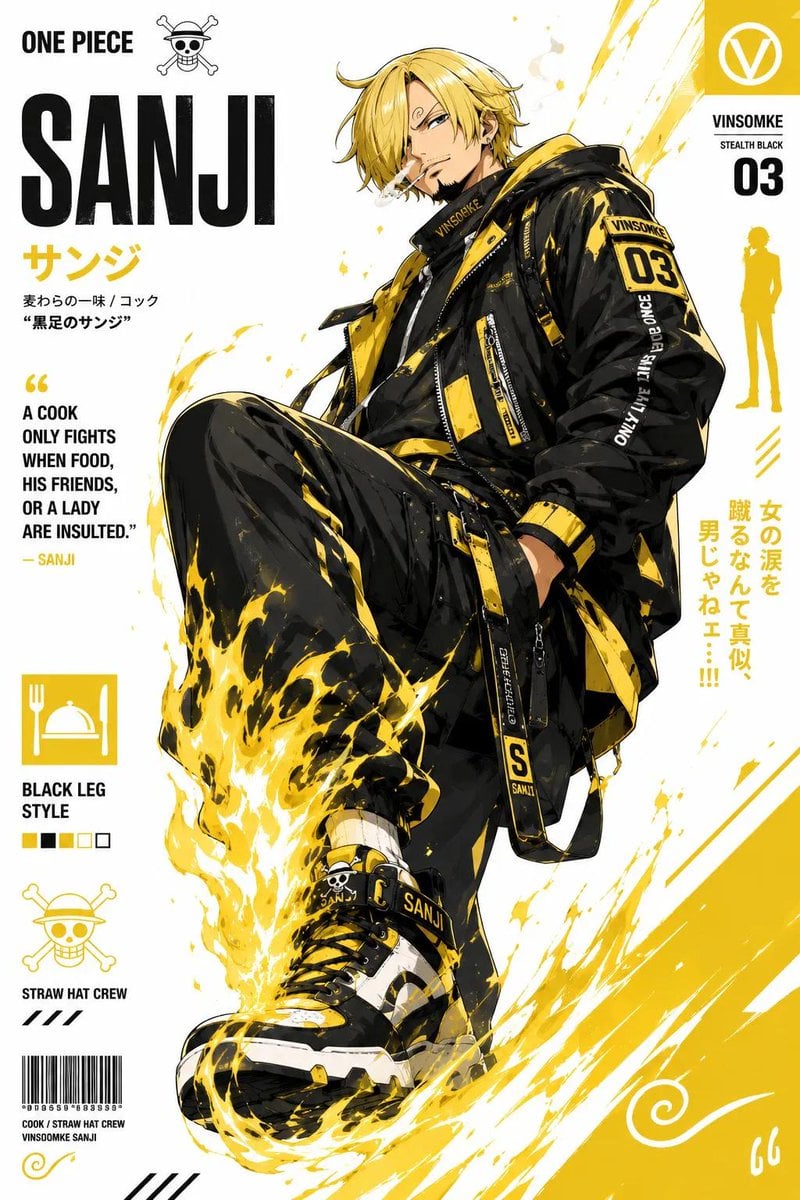
One of the biggest advantages of AI-generated fashion is speed. We can quickly explore seasonal themes, visual moods, outfit variations, and campaign directions without building everything from scratch through traditional production. That makes early ideation much more efficient.
Instead of debating abstract ideas in documents or slides, teams can compare visible directions side by side. A minimalist neutral-toned concept, a dramatic editorial studio look, and a bold streetwear aesthetic can all be generated and reviewed in a short cycle. That helps stakeholders make decisions earlier and with more confidence.
This is especially useful for pitch preparation. A concept becomes easier to evaluate when it looks like something tangible rather than just a written description.
Scalable content creation
Fashion content rarely exists as a single image. Most brands and creators need recurring visuals for blog posts, newsletters, social media, promotions, and brand storytelling. AI-generated fashion helps support that volume without requiring a full production cycle every time.
With the right workflow, we can create different assets from one central concept. A lookbook-inspired image can become a blog hero visual, a cropped social asset, and a themed promotional graphic. That makes creative output more adaptable across platforms.
Scalability also matters for content calendars. When visual refreshes are frequent, AI-generated fashion can help maintain momentum without forcing teams into repeated full-scale shoots for every campaign idea.
Creative flexibility across styles
Fashion visuals can move across many creative directions. A brand may want editorial elegance for one campaign, soft minimalism for another, and bold streetwear energy for social content. AI art makes it easier to test these identities visually before committing to a single path.
We can experiment with lighting, set design, color mood, lens feel, pose direction, and styling approach in a flexible way. That freedom is useful not only for inspiration, but also for decision-making. Seeing how a concept feels in practice often reveals more than discussing it in theory.
This flexibility is particularly valuable when a brand is refining its visual identity. AI-generated fashion gives us room to explore without slowing the entire creative pipeline 👗
Core Use Cases for AI-Generated Fashion
Fashion campaign concepting
Campaign concepting is one of the clearest use cases for AI-generated fashion. Marketers, brand teams, and art directors can create draft visuals that express tone, styling direction, and scene composition before live production begins. These images help make a campaign idea easier to communicate internally.
For example, a team can generate three distinct campaign routes: clean luxury studio portraits, atmospheric city-night fashion scenes, and soft daylight lifestyle imagery. Reviewing those routes side by side makes it easier to align on direction before spending time and budget on larger execution.
AI-generated scenes also support decks, brainstorming sessions, and approvals. They do not need to be final deliverables to be valuable. Often, their role is to make creative decisions faster and clearer.
Lookbook and styling visualization
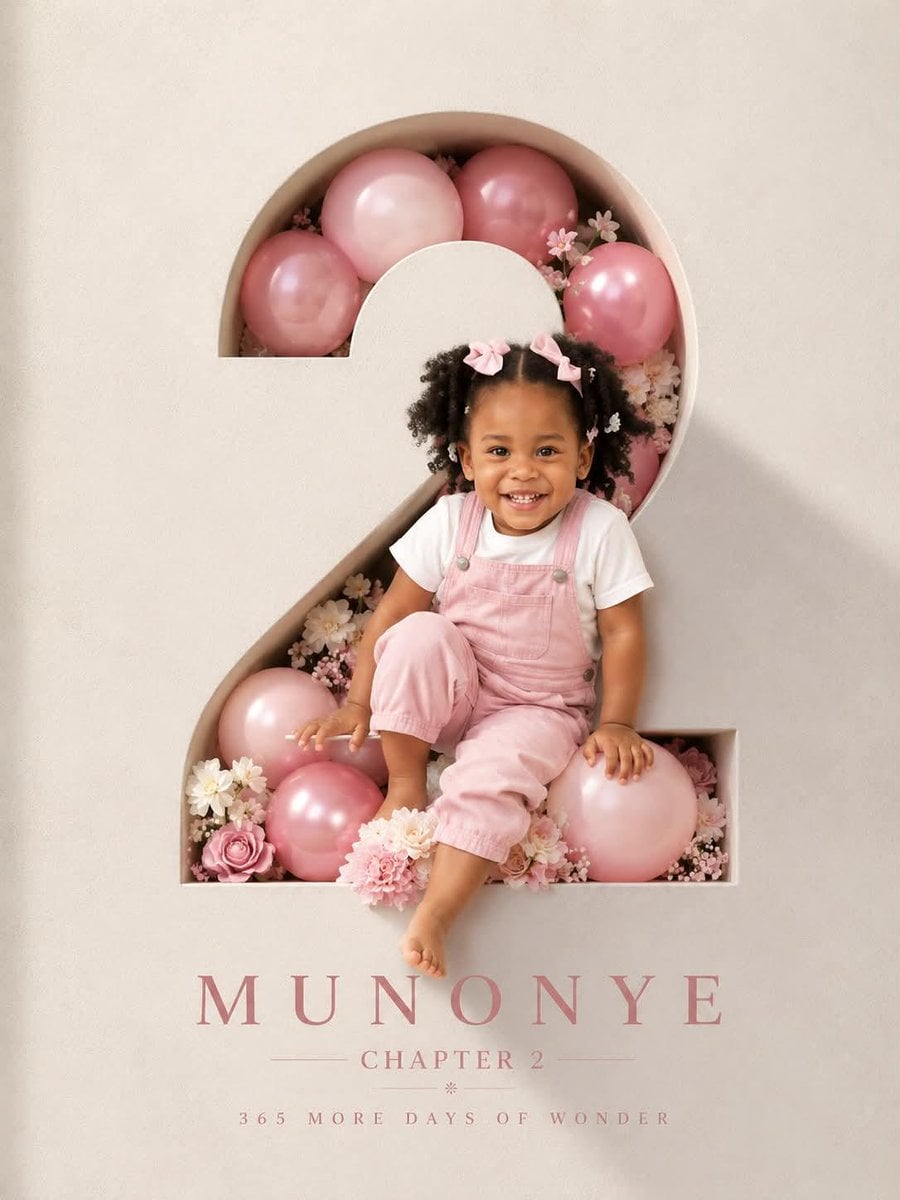
AI-generated fashion is also useful for lookbook-style storytelling. Creators can visualize outfit combinations, themed collections, capsule wardrobe concepts, or seasonal styling ideas through a consistent series of images. That gives abstract fashion ideas a more immediate visual form.
This can help freelancers, boutique labels, content creators, and publishers who want to present a style concept without organizing a full shoot. It is especially effective when the goal is to show mood, cohesion, and outfit logic rather than technical product detail.
A styling concept often becomes much easier to refine once we can see how silhouettes, textures, and accessories interact in an image. That turns AI art into a practical communication layer for fashion planning.
Social media and content marketing assets
Many teams first adopt AI-generated fashion because they need a steady flow of visual content. Blog headers, email banners, promotional graphics, social posts, and carousel visuals all benefit from strong fashion imagery, but not every asset requires a custom photoshoot.
With AI-generated fashion, we can create platform-specific visuals in different compositions and aspect ratios while keeping the central concept intact. A dramatic editorial portrait may work for a homepage banner, while a tighter crop with simplified styling may suit Instagram or an email header better.
This makes AI-generated fashion particularly useful for ongoing marketing needs. Rather than treating each asset as a separate production challenge, we can build from one visual system and adapt it across multiple channels.
How to Create AI-Generated Fashion with GoAIGen Workflows
Workflow 1: Build a fashion concept from a text prompt
The best place to start is a clear creative brief. Define the garment type, target audience, mood, setting, palette, and overall aesthetic direction before writing the prompt. Even a short brief gives the image generation process more structure.
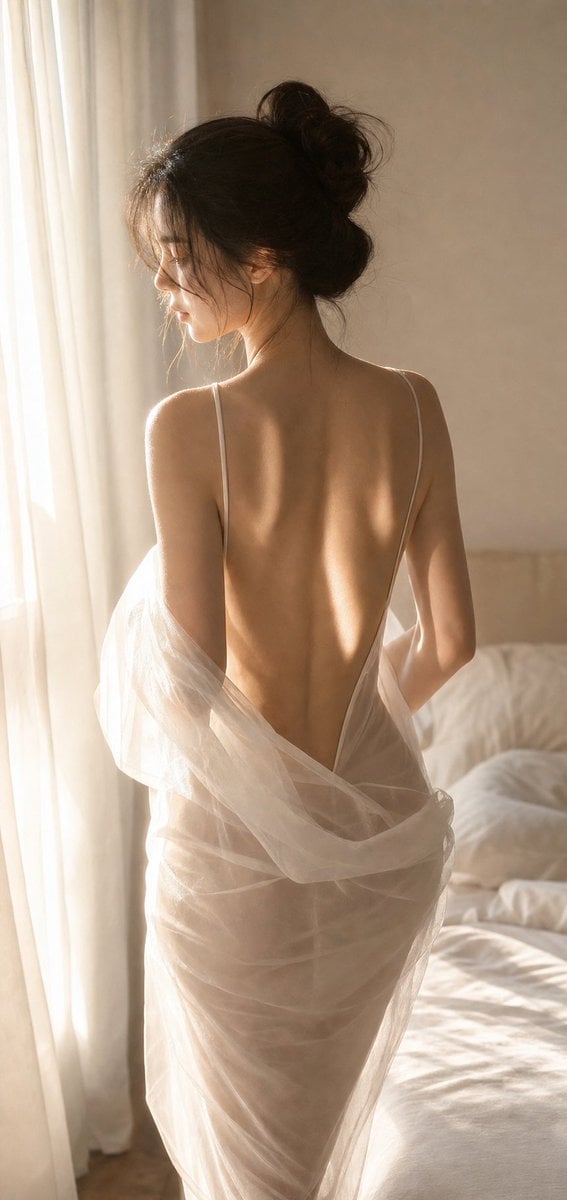
A useful prompt might include elements such as: tailored ivory suit, modern editorial styling, soft natural light, clean architectural background, minimal accessories, confident pose, and luxury magazine feel. From there, we can generate multiple variations in GoAIGen to compare silhouette, composition, and styling.
After the first round, refine the details that matter most. Adjust fabric texture, lighting intensity, camera distance, color emphasis, or background style one variable at a time. This keeps the workflow controlled and helps us learn which prompt changes produce the most relevant improvements.
Workflow 2: Turn a rough idea into a polished campaign visual
Sometimes the starting point is not a full brief but a directional phrase. It could be something like “modern luxury streetwear portrait” or “high-fashion studio editorial with dramatic lighting.” That is enough to begin, as long as we expect to shape it through iteration.
In GoAIGen, we can use the initial phrase to explore multiple visual paths, then narrow toward the strongest option. We may refine model styling, add or remove accessories, shift the backdrop, or change the camera feel from cinematic to clean commercial fashion. Each iteration helps align the output with the intended brand mood.
Once one version stands out, the next step is polish. Focus on consistency in color, framing, and visual tone. The goal is not just to get a striking image, but to produce one that feels usable in a campaign context.
Workflow 3: Create a series for content or brand storytelling
A single strong image is helpful, but many fashion projects need a series. We can create that series by using a shared prompt structure that repeats the key visual anchors across every generation. Those anchors may include silhouette style, palette, lighting mood, setting logic, and editorial tone.
For example, we might keep the same soft studio background, minimal styling direction, and neutral palette while changing only the outfit color or camera distance. That method helps create a coherent lookbook, blog image set, seasonal campaign series, or social carousel.
The most effective way to expand a series is to change one variable at a time. Adjust the environment, then review. Adjust the shot framing, then review. Controlled variation preserves visual consistency while still giving the set enough range to feel intentional ✨
Best Practices for Better AI Fashion Images
Write prompts with visual precision
Good fashion prompting is visual, not generic. Instead of asking for “a stylish outfit,” specify the clothing pieces, materials, cut, styling details, setting, mood, and perspective. A prompt that mentions structured blazer, satin wide-leg trousers, monochrome palette, studio lighting, and editorial portrait is far more actionable than a vague request for something fashionable.
That does not mean every prompt needs to be long. It means the prompt should prioritize the details that directly shape the image. Focus on what the viewer should notice first.
A simple checklist helps:
- Garment type and silhouette
- Materials or textures
- Color palette
- Accessories and styling
- Setting and lighting
- Camera angle or shot type
- Overall mood or editorial direction
Balance experimentation with consistency
In early ideation, it makes sense to test several concepts. Generate different moods, styling directions, and scene types so you can compare what feels strongest. This is where variety adds value.
Once a direction is chosen, consistency becomes more important than novelty. Repeat key descriptors across prompts and avoid changing too many variables at once. That discipline matters when building campaign visuals, content series, or brand storytelling assets.
A practical workflow is to go wide first, then narrow. Explore three to five directions, select one, then build depth around it.
Review outputs critically
Visually impressive does not always mean strategically useful. Every AI-generated fashion image should be reviewed for garment logic, accessory placement, anatomy, background details, and alignment with the intended mood or brand context.
Pay close attention to whether the styling makes sense as a whole. A strong image should feel cohesive, not just dramatic. That requires human judgment at every stage.
A quick review checklist can help:
- Do the garments look coherent and intentional?
- Do the accessories fit the styling direction?
- Does the pose support the fashion focus?
- Is the background helping or distracting?
- Does the image match the brand or project tone?
Limitations and Considerations
AI-generated fashion is not the same as garment production
AI-generated fashion can produce compelling visual ideas, but those ideas are not the same as technical design specifications. A garment may look elegant in an image while still being impractical, undefined, or impossible to manufacture as shown.
That distinction matters for expectations. If the goal is marketing concepting or editorial visualization, AI-generated fashion can be highly effective. If the goal is production-ready apparel development, it should be treated as inspiration rather than a final blueprint.
Keeping these roles separate helps teams use AI art more effectively. It prevents confusion between what looks good visually and what is ready for real-world execution.
Brand alignment and originality matter
AI-generated images can become generic when the creative direction is weak. A visually polished output is not automatically brand-relevant, original, or strategically useful. That is why brand thinking still has to lead the process.
We get better results when we define a point of view before generating images. That could mean a distinct palette, a recurring styling language, a preferred lighting mood, or a specific editorial attitude. The AI supports that direction, but it does not replace it.
Every output should be reviewed for tone, appropriateness, and relevance. This is especially important in fashion, where subtle shifts in styling or presentation can change the entire meaning of an image.
Iteration is part of the process
One of the most important expectations to set is that iteration is normal. Strong AI-generated fashion usually comes from testing, refining, rejecting, and curating. The first result is often a starting point rather than a final answer.
This should be seen as a strength, not a weakness. Iteration allows us to clarify taste, improve prompts, and build a more reliable workflow over time. The better the creative criteria, the better the final results tend to become.
In practical terms, that means saving prompts, comparing versions, and learning from small adjustments. AI fashion creation works best as a guided process, not a random one 🔍
How to Choose the Right AI-Generated Fashion Approach
Match the workflow to the goal
The right workflow depends on what the image needs to do. Concept art, editorial mood imagery, social content, and product storytelling assets all have different requirements. A fast experimental prompt may be enough for brainstorming, while a branded content series needs much tighter control.
Start by identifying the primary objective. Do you need inspiration, speed, content volume, consistent campaign visuals, or visual experimentation? Defining that first makes the workflow much easier to shape.
For most teams, the best starting point is one concrete use case. Build confidence in one repeatable process before expanding into larger content systems.
Decide what level of realism or stylization you need
Not every fashion image should look fully photorealistic. Some projects benefit from clean commercial realism, while others work better with stylized editorial imagery, surreal compositions, or illustrative fashion art. The ideal direction depends on the audience and platform.
For example, campaign mockups may benefit from realism because they need to communicate a near-final concept. Social storytelling or trend content may have more room for artistic experimentation. Aligning the style with the purpose early on reduces unnecessary revisions later.
A good question to ask is simple: should this image feel like a photo, an editorial concept, or a piece of fashion art? That answer shapes the entire prompting approach.
Build a repeatable process
The most effective AI-generated fashion workflows are repeatable. Save successful prompts, note which descriptors produce the strongest results, and define a few visual rules that can be reused across projects. This reduces friction and improves consistency over time.
In GoAIGen workflows, repeatability helps us create momentum. Instead of starting from zero for every image, we can build from proven structures and refine based on the specific campaign or content need. That is often the difference between occasional experimentation and reliable creative production.
A practical repeatable process often includes:
- A short creative brief
- A prompt template
- A list of visual rules
- A first-round variation step
- A refinement and selection step
- A final series-building step
Conclusion
AI-generated fashion in AI art gives creators, marketers, and brands a faster way to explore visual directions, test styling concepts, and produce fashion-focused content across channels. It is especially valuable when speed, variation, and concept development matter more than full traditional production at the earliest stage.
The strongest results come from combining clear creative direction with thoughtful iteration and careful selection. Better prompts lead to better options, but good judgment is what turns those options into useful fashion visuals.
For teams ready to move from scattered inspiration to structured image creation, the next step is to use a practical workflow. That is where AI-generated fashion becomes more than an experiment and starts becoming a dependable part of the content process.
Start Creating with GoAIGen
GoAIGen makes it easier to turn fashion concepts into polished visuals through a workflow built around prompting, variation, refinement, and series creation. We can use it to generate editorial looks, campaign ideas, lookbook scenes, and social-ready fashion art from a single starting concept.
For readers who want to explore visual directions quickly, a practical next step is to test one clear idea, generate multiple variations, and refine the strongest route into a cohesive set. Start creating AI-generated fashion images with GoAIGen and explore the style direction that best fits your brand, content plan, or creative project.
FAQ
What is AI-generated fashion in AI art?
AI-generated fashion in AI art refers to fashion-focused visuals created with AI image generation tools. These can include outfits, editorial scenes, model imagery, styling concepts, and campaign-style visuals.
Can AI-generated fashion help with marketing content?
Yes. It can support visual ideation and content production for blog graphics, social posts, campaign mockups, email creatives, and broader brand storytelling when guided by a clear concept.
Is AI-generated fashion useful for designers?
It can be very useful during early creative stages. Designers can use it for inspiration, concept exploration, visual direction, and communicating styling ideas more clearly.
How do I get better results from AI fashion prompts?
Use specific visual details about garments, materials, mood, lighting, composition, and setting. Then refine the best outputs through iteration rather than expecting a perfect result immediately.
How can I create AI-generated fashion images with GoAIGen?
Start with a clear prompt, generate multiple variations, compare the strongest options, and refine them into a consistent visual direction. From there, build a series that supports your campaign, content, or brand goals.